
Vamos con el último post! el post número 24 de la serie NestJS y tercero del bloque de Escala Enterprise. Hasta aquí hemos construido una API monolítica completa (posts 1-21), le añadimos GraphQL (post 22) y microservicios (post 23). Ahora toca un patrón que cambia por completo cómo piensas sobre los datos: CQRS.
En una API típica (como la que hemos construido), el mismo servicio lee y escribe. UsersService.create() y UsersService.findAll() viven en la misma clase, usan la misma base de datos y los mismos modelos. Funciona bien hasta que NO lo hace cuando la lectura necesita datos denormalizados para rendimiento y la escritura necesita datos normalizados para integridad y empiezas a hacer hacks. Cuando una operación de escritura desencadena 15 efectos secundarios (emails, notificaciones, auditoría, cache, analytics), tu servicio se convierte en un monstruo de 800 líneas.
💡 CQRS Command Query Responsibility Segregation. Patrón que separa las operaciones de lectura (Queries) de las de escritura (Commands) en modelos, handlers y a veces bases de datos diferentes. Los Commands mutan el estado. Las Queries solo lo leen. Nunca se mezclan. NestJS lo soporta con @nestjs/cqrs. Más info → separa lectura y escritura en modelos diferentes. Y 💡 Event Sourcing Patrón donde el estado de la aplicación se almacena como una secuencia de eventos inmutables en vez de una foto del estado actual. En vez de guardar 'saldo: 500€', guardas los eventos: 'ingreso 1000€', 'retirada 300€', 'retirada 200€'. El estado actual se reconstruye reproduciendo los eventos. Cada evento es un hecho que ya ocurrió y nunca se modifica. Más info → lleva esto un paso más allá: en vez de guardar el estado actual, guardas todos los eventos que produjeron ese estado.
EA, amo al lío.
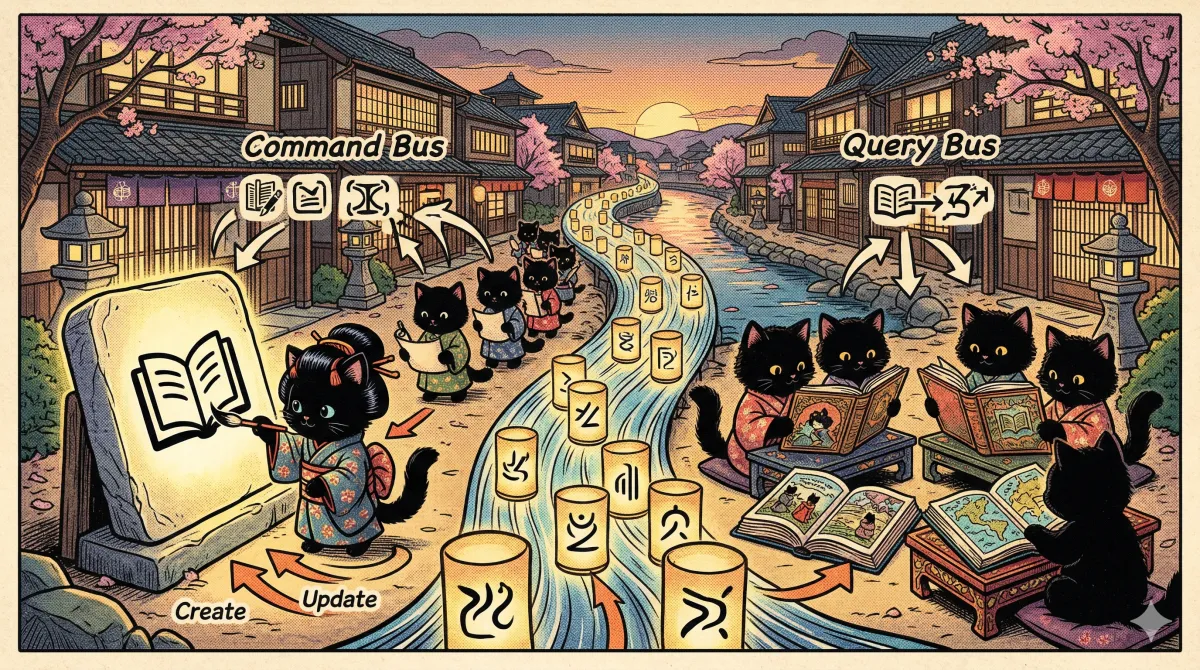
1. CRUD clásico vs CQRS: el problema real
CRUD clásico (posts 1-21):
  ┌─────────────────────────────────┐
  │          UsersService            │
  │                                  │
  │  create()    ←── Escritura       │
  │  update()    ←── Escritura       │
  │  delete()    ←── Escritura       │
  │  findAll()   ←── Lectura         │
  │  findOne()   ←── Lectura         │
  │  findByEmail() ←── Lectura       │
  │                                  │
  │  Todo mezclado. Mismos modelos.  │
  │  Misma BD. Mismo servicio.       │
  └─────────────────────────────────┘

CQRS (este post):
  ┌──────────────────┐    ┌──────────────────┐
  │   Command Side    │    │   Query Side      │
  │   (Escritura)     │    │   (Lectura)       │
  │                   │    │                   │
  │  CreateUserCmd    │    │  GetUsersQuery    │
  │  UpdateUserCmd    │    │  GetUserQuery     │
  │  DeleteUserCmd    │    │  SearchUsersQuery │
  │        │          │    │        │          │
  │        ▼          │    │        ▼          │
  │  CommandHandler   │    │  QueryHandler     │
  │        │          │    │        │          │
  │        ▼          │    │        ▼          │
  │   Write Model     │    │   Read Model      │
  │  (normalizado)    │    │  (denormalizado)  │
  └──────────────────┘    └──────────────────┘
           │                        ▲
           │    Eventos             │
└──────────────────────►─┘- Las lecturas y escrituras tienen requisitos muy diferentes (lectura denormalizada para rendimiento, escritura normalizada para integridad)
- Una escritura desencadena múltiples efectos secundarios (emails, notificaciones, auditoría, cache invalidation)
- Necesitas escalar lecturas y escrituras de forma independiente (10x más lecturas que escrituras)
- Dominios complejos donde cada operación tiene reglas de negocio elaboradas (e-commerce, finanzas, reservas)
- CRUD simple sin lógica de negocio compleja : CQRS añade complejidad sin beneficio
- Equipo pequeño que no necesita separar las responsabilidades de lectura y escritura
- Aplicaciones donde lecturas y escrituras usan los mismos modelos y la misma BD
- MVP o prototipos : implementa CQRS cuando el dominio lo justifique, no antes
2. Instalación
Registra el módulo:
// src/app.module.ts
import { Module } from '@nestjs/common';
import { CqrsModule } from '@nestjs/cqrs';
import { OrdersModule } from './orders/orders.module';

@Module({
    imports: [CqrsModule, OrdersModule],
})
export class AppModule {}
Importar CqrsModule registra los buses internos: CommandBus, QueryBus y EventBus. Son el sistema nervioso de CQRS.
NotaEn versiones recientes (v10+) existe también
CqrsModule.forRoot(options)para configuración avanzada (publishers externos, etc.), pero para el uso normal basta con importarCqrsModuletal cual, tal y como hace la documentación oficial.
3. Commands: operaciones de escritura
Un 💡 Command Objeto inmutable que representa la intención de cambiar el estado del sistema. Siempre se expresa en imperativo: CreateOrder, UpdateUser, CancelSubscription. Un Command lleva toda la información necesaria para ejecutar la operación. No devuelve datos de lectura : solo confirma que la operación se ejecutó. Más info → es una orden: «haz esto».
// src/orders/commands/create-order.command.ts
import { type ICommand } from '@nestjs/cqrs';

// Los items son inmutables
export interface OrderItemDto {
    readonly productId: string;
    readonly quantity: number;
    readonly unitPrice: number;
}

export class CreateOrderCommand implements ICommand {
    constructor(
        public readonly userId: string,
        public readonly items: readonly OrderItemDto[],
        public readonly shippingAddress: string,
        public readonly paymentMethod: string
    ) {}
}
// src/orders/commands/cancel-order.command.ts
import { type ICommand } from '@nestjs/cqrs';
export class CancelOrderCommand implements ICommand {
constructor(
public readonly orderId: string,
public readonly reason: string,
public readonly cancelledBy: string
) {}
}// src/orders/commands/update-order-status.command.ts
import { type ICommand } from '@nestjs/cqrs';
import { type OrderStatus } from '../enums/order-status.enum';
export class UpdateOrderStatusCommand implements ICommand {
constructor(
public readonly orderId: string,
public readonly status: OrderStatus,
public readonly updatedBy: string
) {}
}Nota
ICommandes una interfaz vacía (marker interface). No obliga a implementar nada, pero deja claro en el código la intención: «esto es un Command». Lo mismo pasa conIQueryyIEvent. Técnicamente puedes omitirlas y funciona igual, pero es buena práctica ponerlas.
Convenciones:
- Nombre en imperativo:
CreateOrder,CancelOrder,UpdateOrderStatus. NoOrderCreated(eso es un evento). - Inmutable: propiedades
readonly. Un command no se modifica después de crearse. - Constructor con todos los datos: el command lleva todo lo necesario para ejecutar la operación.
4. Command Handlers: ejecutar la escritura
El 💡 CommandHandler Clase decorada con @CommandHandler que contiene la lógica de negocio para ejecutar un Command. Recibe el Command, valida las reglas de negocio, modifica el estado y emite eventos. Un CommandHandler solo procesa UN tipo de Command. Es el equivalente del método de un Service, pero aislado y con responsabilidad única. Más info → ejecuta la lógica de negocio:
// src/orders/commands/handlers/create-order.handler.ts
import { CommandHandler, type ICommandHandler, EventBus } from '@nestjs/cqrs';
import { InjectRepository } from '@nestjs/typeorm';
import { Repository } from 'typeorm';
import { CreateOrderCommand } from '../create-order.command';
import { Order } from '../../entities/order.entity';
import { OrderItem } from '../../entities/order-item.entity';
import { OrderCreatedEvent } from '../../events/order-created.event';
import { OrderStatus } from '../../enums/order-status.enum';

@CommandHandler(CreateOrderCommand)
export class CreateOrderHandler implements ICommandHandler<CreateOrderCommand, Order> {
    constructor(
        @InjectRepository(Order)
        private readonly ordersRepository: Repository<Order>,
        @InjectRepository(OrderItem)
        private readonly itemsRepository: Repository<OrderItem>,
        private readonly eventBus: EventBus
    ) {}

    async execute(command: CreateOrderCommand): Promise<Order> {
        const { userId, items, shippingAddress, paymentMethod } = command;

        // 1. Validar reglas de negocio
        if (items.length === 0) {
            throw new Error('Order must have at least one item');
        }

        const total = items.reduce((sum, item) => sum + item.unitPrice * item.quantity, 0);

        // 2. Crear la entidad
        const order = this.ordersRepository.create({
            userId,
            status: OrderStatus.PENDING,
            shippingAddress,
            paymentMethod,
            total,
        });

        const savedOrder = await this.ordersRepository.save(order);

        // 3. Crear los items
        const orderItems = items.map((item) =>
            this.itemsRepository.create({
                orderId: savedOrder.id,
                productId: item.productId,
                quantity: item.quantity,
                unitPrice: item.unitPrice,
            })
        );

        await this.itemsRepository.save(orderItems);

        // 4. Emitir evento (efectos secundarios)
        this.eventBus.publish(new OrderCreatedEvent(savedOrder.id, userId, total, items.length));

        return savedOrder;
    }
}
// src/orders/commands/handlers/cancel-order.handler.ts
import { CommandHandler, type ICommandHandler, EventBus } from '@nestjs/cqrs';
import { InjectRepository } from '@nestjs/typeorm';
import { Repository } from 'typeorm';
import { CancelOrderCommand } from '../cancel-order.command';
import { Order } from '../../entities/order.entity';
import { OrderCancelledEvent } from '../../events/order-cancelled.event';
import { OrderStatus } from '../../enums/order-status.enum';
@CommandHandler(CancelOrderCommand)
export class CancelOrderHandler implements ICommandHandler<CancelOrderCommand, void> {
constructor(
@InjectRepository(Order)
private readonly ordersRepository: Repository<Order>,
private readonly eventBus: EventBus
) {}
async execute(command: CancelOrderCommand): Promise<void> {
const { orderId, reason, cancelledBy } = command;
const order = await this.ordersRepository.findOneOrFail({
where: { id: orderId },
});
// Regla de negocio: solo se pueden cancelar pedidos pendientes o confirmados
const cancellableStatuses: readonly OrderStatus[] = [OrderStatus.PENDING, OrderStatus.CONFIRMED] as const;
if (!cancellableStatuses.includes(order.status)) {
throw new Error(
`Cannot cancel order in status "${order.status}". Only PENDING and CONFIRMED orders can be cancelled.`
);
}
order.status = OrderStatus.CANCELLED;
order.cancellationReason = reason;
await this.ordersRepository.save(order);
this.eventBus.publish(new OrderCancelledEvent(orderId, reason, cancelledBy, order.total));
}
}El patrón: un handler, un command, una responsabilidad. El CreateOrderHandler solo sabe crear pedidos. El CancelOrderHandler solo sabe cancelarlos. No hay un OrdersService con 15 métodos.
5. Queries: operaciones de lectura
Las Queries Queries Objetos que representan una petición de datos. A diferencia de los Commands, las Queries NUNCA modifican el estado. Solo leen. Pueden usar modelos optimizados para lectura (denormalizados, con joins precalculados, vistas materializadas). son preguntas: «dame esto».
// src/orders/queries/get-order.query.ts
import { type IQuery } from '@nestjs/cqrs';

export class GetOrderQuery implements IQuery {
    constructor(
        public readonly orderId: string,
        public readonly userId: string
    ) {}
}
// src/orders/queries/get-user-orders.query.ts
import { type IQuery } from '@nestjs/cqrs';
import { type OrderStatus } from '../enums/order-status.enum';
export class GetUserOrdersQuery implements IQuery {
constructor(
public readonly userId: string,
public readonly status?: OrderStatus,
public readonly page: number = 1,
public readonly limit: number = 10
) {}
}// src/orders/queries/search-orders.query.ts
import { type IQuery } from '@nestjs/cqrs';
import { type OrderStatus } from '../enums/order-status.enum';
export interface OrderFilters {
readonly userId?: string;
readonly status?: OrderStatus;
readonly minTotal?: number;
readonly maxTotal?: number;
readonly fromDate?: string;
readonly toDate?: string;
}
export class SearchOrdersQuery implements IQuery {
constructor(public readonly filters: OrderFilters) {}
}6. Query Handlers: ejecutar la lectura
// src/orders/queries/handlers/get-order.handler.ts
import { QueryHandler, type IQueryHandler } from '@nestjs/cqrs';
import { InjectRepository } from '@nestjs/typeorm';
import { Repository } from 'typeorm';
import { GetOrderQuery } from '../get-order.query';
import { Order } from '../../entities/order.entity';

@QueryHandler(GetOrderQuery)
export class GetOrderHandler implements IQueryHandler<GetOrderQuery, Order | null> {
    constructor(
        @InjectRepository(Order)
        private readonly ordersRepository: Repository<Order>
    ) {}

    async execute(query: GetOrderQuery): Promise<Order | null> {
        return this.ordersRepository.findOne({
            where: {
                id: query.orderId,
                userId: query.userId,
            },
            relations: ['items', 'items.product'],
        });
    }
}
// src/orders/queries/handlers/get-user-orders.handler.ts
import { QueryHandler, type IQueryHandler } from '@nestjs/cqrs';
import { InjectRepository } from '@nestjs/typeorm';
import { Repository } from 'typeorm';
import { GetUserOrdersQuery } from '../get-user-orders.query';
import { Order } from '../../entities/order.entity';
interface PaginatedOrders {
readonly data: readonly Order[];
readonly total: number;
readonly page: number;
readonly totalPages: number;
}
@QueryHandler(GetUserOrdersQuery)
export class GetUserOrdersHandler implements IQueryHandler<GetUserOrdersQuery, PaginatedOrders> {
constructor(
@InjectRepository(Order)
private readonly ordersRepository: Repository<Order>
) {}
async execute(query: GetUserOrdersQuery): Promise<PaginatedOrders> {
const { userId, status, page, limit } = query;
const qb = this.ordersRepository
.createQueryBuilder('order')
.leftJoinAndSelect('order.items', 'item')
.where('order.userId = :userId', { userId })
.orderBy('order.createdAt', 'DESC')
.skip((page - 1) * limit)
.take(limit);
if (status) {
qb.andWhere('order.status = :status', { status });
}
const [data, total] = await qb.getManyAndCount();
return {
data,
total,
page,
totalPages: Math.ceil(total / limit),
};
}
}Ventaja clave: los Query Handlers pueden usar modelos de lectura optimizados. En vez de hacer joins complejos en runtime, puedes tener tablas denormalizadas, vistas materializadas o incluso una base de datos de lectura diferente (Elasticsearch, MongoDB) que se actualiza con los eventos.
7. Events: lo que ya ocurrió
Los 💡 Events Objetos inmutables que representan algo que YA ocurrió en el sistema. Se nombran en pasado: OrderCreated, OrderCancelled, PaymentProcessed. A diferencia de los Commands (que pueden rechazarse), los Events son hechos consumados. Múltiples EventHandlers pueden reaccionar al mismo evento sin acoplarse entre sí. Más info → son hechos: «esto pasó».
// src/orders/events/order-created.event.ts
import { type IEvent } from '@nestjs/cqrs';

export class OrderCreatedEvent implements IEvent {
    constructor(
        public readonly orderId: string,
        public readonly userId: string,
        public readonly total: number,
        public readonly itemCount: number,
        public readonly occurredAt: string = new Date().toISOString()
    ) {}
}
// src/orders/events/order-cancelled.event.ts
import { type IEvent } from '@nestjs/cqrs';
export class OrderCancelledEvent implements IEvent {
constructor(
public readonly orderId: string,
public readonly reason: string,
public readonly cancelledBy: string,
public readonly refundAmount: number,
public readonly occurredAt: string = new Date().toISOString()
) {}
}// src/orders/events/order-shipped.event.ts
import { type IEvent } from '@nestjs/cqrs';
export class OrderShippedEvent implements IEvent {
constructor(
public readonly orderId: string,
public readonly trackingNumber: string,
public readonly carrier: string,
public readonly estimatedDelivery: string,
public readonly occurredAt: string = new Date().toISOString()
) {}
}AdvertenciaOjito con poner
new Date()dentro del constructor y asignarlo a una propiedad. Si más adelante reproduces eventos desde el Event Store (replay), querrás conservar la fecha original del evento, no la del momento del replay. Por eso aquíoccurredAtes un parámetro con valor por defecto: si no lo pasas, se genera, pero si lo pasas (al reconstruir desde la BD), se respeta. Pequeño detalle, gran diferencia.
Diferencia fundamental con los Commands:
| Aspecto | Command | Event |
|---|---|---|
| Nombre | Imperativo: | Pasado: |
| Intención | Quiero que pase algo | Algo ya pasó |
| ¿Puede fallar? | Sí. Se puede rechazar | No. Es un hecho consumado |
| Handlers | Exactamente 1 | 0, 1 o muchos |
| Devuelve datos | Sí (opcional) | No |
8. Event Handlers: reaccionar a los hechos
Los Event Handlers ejecutan efectos secundarios. Múltiples handlers pueden reaccionar al mismo evento, completamente desacoplados:
// src/orders/events/handlers/order-created-notification.handler.ts
import { EventsHandler, type IEventHandler } from '@nestjs/cqrs';
import { OrderCreatedEvent } from '../order-created.event';
import { NotificationsService } from '../../../notifications/notifications.service';

@EventsHandler(OrderCreatedEvent)
export class OrderCreatedNotificationHandler implements IEventHandler<OrderCreatedEvent> {
    constructor(private readonly notificationsService: NotificationsService) {}

    async handle(event: OrderCreatedEvent): Promise<void> {
        await this.notificationsService.sendOrderConfirmation(event.userId, event.orderId, event.total);
    }
}
// src/orders/events/handlers/order-created-analytics.handler.ts
import { EventsHandler, type IEventHandler } from '@nestjs/cqrs';
import { OrderCreatedEvent } from '../order-created.event';
import { AnalyticsService } from '../../../analytics/analytics.service';
@EventsHandler(OrderCreatedEvent)
export class OrderCreatedAnalyticsHandler implements IEventHandler<OrderCreatedEvent> {
constructor(private readonly analyticsService: AnalyticsService) {}
async handle(event: OrderCreatedEvent): Promise<void> {
await this.analyticsService.trackOrderCreated({
orderId: event.orderId,
total: event.total,
itemCount: event.itemCount,
occurredAt: event.occurredAt,
});
}
}// src/orders/events/handlers/order-created-inventory.handler.ts
import { EventsHandler, type IEventHandler } from '@nestjs/cqrs';
import { OrderCreatedEvent } from '../order-created.event';
import { InventoryService } from '../../../inventory/inventory.service';
@EventsHandler(OrderCreatedEvent)
export class OrderCreatedInventoryHandler implements IEventHandler<OrderCreatedEvent> {
constructor(private readonly inventoryService: InventoryService) {}
async handle(event: OrderCreatedEvent): Promise<void> {
await this.inventoryService.reserveItems(event.orderId);
}
}Un solo evento OrderCreatedEvent → 3 handlers independientes: notificación, analytics e inventario. Ninguno sabe que los otros existen. Si mañana añades un cuarto handler (auditoría, webhook, whatever), no tocas ni una línea del handler de creación.
Compara esto con el enfoque clásico:
// ❌ CRUD clásico: el servicio sabe TODO lo que pasa después
async createOrder(dto: CreateOrderDto): Promise<Order> {
    const order = await this.ordersRepo.save(/* ... */);
    await this.notificationsService.sendOrderConfirmation(order);  // acoplado
    await this.analyticsService.trackOrderCreated(order);           // acoplado
    await this.inventoryService.reserveItems(order);                // acoplado
    await this.auditService.logOrderCreation(order);                // acoplado
    // 800 líneas después...
}

// ✅ CQRS: el handler solo crea. Los efectos secundarios son independientes
async execute(command: CreateOrderCommand): Promise<Order> {
    const order = await this.ordersRepo.save(/* ... */);
    this.eventBus.publish(new OrderCreatedEvent(/* ... */));
    // Fin. Los EventHandlers hacen el resto.
}
9. Usando los buses desde el controller
// src/orders/orders.controller.ts
import { Controller, Get, Post, Body, Param, UseGuards, Query } from '@nestjs/common';
import { CommandBus, QueryBus } from '@nestjs/cqrs';
import { JwtAuthGuard } from '../auth/guards/jwt-auth.guard';
import { CurrentUser } from '../auth/decorators/current-user.decorator';
import { CreateOrderCommand } from './commands/create-order.command';
import { CancelOrderCommand } from './commands/cancel-order.command';
import { GetOrderQuery } from './queries/get-order.query';
import { GetUserOrdersQuery } from './queries/get-user-orders.query';
import { type CreateOrderDto } from './dto/create-order.dto';
import { type Order } from './entities/order.entity';
import { type User } from '../users/entities/user.entity';
import { type OrderStatus } from './enums/order-status.enum';

@Controller('orders')
@UseGuards(JwtAuthGuard)
export class OrdersController {
    constructor(
        private readonly commandBus: CommandBus,
        private readonly queryBus: QueryBus
    ) {}

    @Post()
    async create(@Body() dto: CreateOrderDto, @CurrentUser() user: User): Promise<Order> {
        // El controller solo construye el Command y lo envía al bus
        return this.commandBus.execute<CreateOrderCommand, Order>(
            new CreateOrderCommand(user.id, dto.items, dto.shippingAddress, dto.paymentMethod)
        );
    }

    @Post(':id/cancel')
    async cancel(
        @Param('id') orderId: string,
        @Body('reason') reason: string,
        @CurrentUser() user: User
    ): Promise<void> {
        return this.commandBus.execute<CancelOrderCommand, void>(
            new CancelOrderCommand(orderId, reason, user.id)
        );
    }

    @Get(':id')
    async findOne(@Param('id') orderId: string, @CurrentUser() user: User): Promise<Order | null> {
        return this.queryBus.execute<GetOrderQuery, Order | null>(
            new GetOrderQuery(orderId, user.id)
        );
    }

    @Get()
    async findAll(
        @CurrentUser() user: User,
        @Query('status') status?: OrderStatus,
        @Query('page') page = 1,
        @Query('limit') limit = 10
    ) {
        return this.queryBus.execute(new GetUserOrdersQuery(user.id, status, page, limit));
    }
}
El controller no tiene ninguna lógica de negocio. Solo:
- Extrae datos del request (DTO, params, usuario autenticado).
- Construye un Command o Query.
- Lo envía al bus.
- Devuelve el resultado.
Los CommandBus y QueryBus se encargan de encontrar el handler correcto y ejecutarlo. Son como el cartero: tú le das una carta con una dirección y él la entrega.
ConsejoFíjate en
this.commandBus.execute<CreateOrderCommand, Order>(...). Por defectoexecute()devuelvePromise<any>porque el bus no sabe de antemano qué handler se va a invocar. Si le pasas los genéricos (<TCommand, TResult>), TypeScript te da el tipo correcto y te ahorras unas Orderfastidioso. Pequeño detalle, pero se agradece en mantenimiento.
10. Sagas: flujos que coordinan múltiples operaciones
Las 💡 Sagas Clases que escuchan eventos y pueden disparar nuevos Commands en respuesta. Son coordinadores de flujos complejos que involucran múltiples pasos. Ejemplo: cuando un pedido se crea, la saga inicia el pago; cuando el pago se confirma, la saga confirma el pedido; si el pago falla, la saga cancela el pedido. Las sagas usan RxJS Observables. Más info → coordinan flujos que involucran múltiples pasos:
OrderCreated → ProcessPayment → PaymentSucceeded → ConfirmOrder → ReserveInventory
                              → PaymentFailed    → CancelOrder
// src/orders/sagas/order.saga.ts
import { Injectable } from '@nestjs/common';
import { type ICommand, Saga, ofType } from '@nestjs/cqrs';
import { Observable, map, filter } from 'rxjs';
import { OrderCreatedEvent } from '../events/order-created.event';
import { OrderCancelledEvent } from '../events/order-cancelled.event';
import { PaymentSucceededEvent } from '../../payments/events/payment-succeeded.event';
import { PaymentFailedEvent } from '../../payments/events/payment-failed.event';
import { ProcessPaymentCommand } from '../../payments/commands/process-payment.command';
import { UpdateOrderStatusCommand } from '../commands/update-order-status.command';
import { RefundPaymentCommand } from '../../payments/commands/refund-payment.command';
import { OrderStatus } from '../enums/order-status.enum';
@Injectable()
export class OrderSaga {
// Cuando se crea un pedido → procesar el pago
@Saga()
orderCreated$ = (events$: Observable<any>): Observable<ICommand> =>
events$.pipe(
ofType(OrderCreatedEvent),
map((event) => new ProcessPaymentCommand(event.orderId, event.userId, event.total))
);
// Cuando el pago se confirma → confirmar el pedido
@Saga()
paymentSucceeded$ = (events$: Observable<any>): Observable<ICommand> =>
events$.pipe(
ofType(PaymentSucceededEvent),
map((event) => new UpdateOrderStatusCommand(event.orderId, OrderStatus.CONFIRMED, 'system'))
);
// Cuando el pago falla → cancelar el pedido
@Saga()
paymentFailed$ = (events$: Observable<any>): Observable<ICommand> =>
events$.pipe(
ofType(PaymentFailedEvent),
map(
(event) =>
new UpdateOrderStatusCommand(event.orderId, OrderStatus.CANCELLED, 'system')
)
);
// Cuando un pedido se cancela con pago ya realizado → procesar reembolso
@Saga()
orderCancelled$ = (events$: Observable<any>): Observable<ICommand> =>
events$.pipe(
ofType(OrderCancelledEvent),
filter((event) => event.refundAmount > 0),
map((event) => new RefundPaymentCommand(event.orderId, event.refundAmount))
);
}AdvertenciaSi ves por ahí sagas con
delay(1000)u otros timers «para asegurar consistencia», huye. Eso no asegura nada: es pegar un chicle a un problema de orden de eventos. Si tu lógica depende de que dos cosas ya hayan pasado, modélalo explícitamente con un evento (por ejemploPaymentSucceededEventdispara el siguiente paso), no con undelaya ciegas. La saga debería ser puramente reactiva: entra un evento, sale un command. Sin esperas arbitrarias.
Tipos a tener en cuenta:
Observable<any>como entrada porque el bus emite eventos de todos los tipos (elofTypefiltra el que nos interesa y TypeScript hace el narrowing automáticamente).Observable<ICommand>como salida: una saga siempre devuelve Commands. Nunca toca el estado directamente.
Flujo visual:
1. Usuario crea pedido
   → CreateOrderCommand
   → CreateOrderHandler (guarda pedido, emite OrderCreatedEvent)

2. Saga escucha OrderCreatedEvent
   → Dispara ProcessPaymentCommand

3. ProcessPaymentHandler procesa el pago
   → Si OK: emite PaymentSucceededEvent
   → Si falla: emite PaymentFailedEvent

4a. Saga escucha PaymentSucceededEvent
    → Dispara UpdateOrderStatusCommand(CONFIRMED)

4b. Saga escucha PaymentFailedEvent
    → Dispara UpdateOrderStatusCommand(CANCELLED)
Cada paso es independiente y auditable. Puedes ver exactamente qué pasó, en qué orden y por qué.
11. Event Sourcing: guardando la historia completa
Con Event Sourcing, en vez de guardar el estado actual de un pedido, guardas todos los eventos que le pasaron:
CRUD clásico:
  orders table: { id: 1, status: 'shipped', total: 150, updatedAt: '2026-03-22' }
  (No sabes cuándo se creó, cuándo se pagó, cuándo se confirmó...)

Event Sourcing:
  events table:
    { orderId: 1, type: 'OrderCreated',   data: { total: 150 },         at: '2026-03-22T10:00:00' }
    { orderId: 1, type: 'PaymentProcessed', data: { method: 'card' },   at: '2026-03-22T10:00:05' }
    { orderId: 1, type: 'OrderConfirmed', data: { confirmedBy: 'sys' }, at: '2026-03-22T10:00:06' }
    { orderId: 1, type: 'OrderShipped',   data: { tracking: 'ABC123' }, at: '2026-03-22T14:30:00' }
(Historia completa. Puedes reconstruir el estado en cualquier punto del tiempo.)ImportanteEvent Sourcing puro vs enfoque híbrido. En ES puro de libro, la tabla
ordersno existe: el estado se reconstruye siempre reproduciendo eventos. Lo que vamos a montar aquí es un híbrido muy común: seguimos guardando la tablaorders(write model tradicional) y además persistimos los eventos en un Event Store aparte para auditoría, depuración y poder construir proyecciones. Es más fácil de introducir en un proyecto ya existente y te da el 80% de los beneficios sin el 100% de la complejidad. Si el día de mañana quieres ir a full ES, ya tienes los eventos guardados y puedes quitar la tablaorders.
Event Store
// src/common/event-store/event-store.entity.ts
import { Entity, PrimaryGeneratedColumn, Column, CreateDateColumn, Index } from 'typeorm';

@Entity('event_store')
@Index(['aggregateId', 'version'], { unique: true })
@Index(['aggregateType', 'aggregateId'])
export class StoredEvent {
    @PrimaryGeneratedColumn('uuid')
    id: string;

    @Column()
    aggregateType: string; // 'Order', 'User', 'Payment'

    @Column()
    aggregateId: string; // ID del pedido/usuario/pago

    @Column()
    eventType: string; // 'OrderCreated', 'OrderCancelled'

    @Column({ type: 'jsonb' })
    payload: Record<string, unknown>; // Los datos del evento

    @Column({ type: 'int' })
    version: number; // Versión secuencial por aggregate

    @Column({ nullable: true })
    causedBy: string; // ID del command que lo causó

    @CreateDateColumn()
    occurredAt: Date;
}
// src/common/event-store/event-store.service.ts
import { Injectable } from '@nestjs/common';
import { InjectRepository } from '@nestjs/typeorm';
import { Repository } from 'typeorm';
import { StoredEvent } from './event-store.entity';
interface StoreEventDto {
readonly aggregateType: string;
readonly aggregateId: string;
readonly eventType: string;
readonly payload: Record<string, unknown>;
readonly causedBy?: string;
}
@Injectable()
export class EventStoreService {
constructor(
@InjectRepository(StoredEvent)
private readonly eventRepository: Repository<StoredEvent>
) {}
async append(dto: StoreEventDto): Promise<StoredEvent> {
// Calcular la siguiente versión
const lastEvent = await this.eventRepository.findOne({
where: {
aggregateType: dto.aggregateType,
aggregateId: dto.aggregateId,
},
order: { version: 'DESC' },
});
const version = (lastEvent?.version ?? 0) + 1;
const event = this.eventRepository.create({
...dto,
version,
});
return this.eventRepository.save(event);
}
async getEvents(aggregateType: string, aggregateId: string): Promise<readonly StoredEvent[]> {
return this.eventRepository.find({
where: { aggregateType, aggregateId },
order: { version: 'ASC' },
});
}
async getEventsFromVersion(
aggregateType: string,
aggregateId: string,
fromVersion: number
): Promise<readonly StoredEvent[]> {
return this.eventRepository
.createQueryBuilder('event')
.where('event.aggregateType = :aggregateType', { aggregateType })
.andWhere('event.aggregateId = :aggregateId', { aggregateId })
.andWhere('event.version > :fromVersion', { fromVersion })
.orderBy('event.version', 'ASC')
.getMany();
}
async getSnapshot(aggregateType: string, aggregateId: string): Promise<Record<string, unknown>> {
const events = await this.getEvents(aggregateType, aggregateId);
// Reconstruir el estado reproduciendo los eventos
return events.reduce<Record<string, unknown>>((state, event) => {
return { ...state, ...event.payload, version: event.version };
}, {});
}
}Integrando el Event Store con los Event Handlers
// src/orders/events/handlers/order-event-store.handler.ts
import { EventsHandler, type IEventHandler } from '@nestjs/cqrs';
import { EventStoreService } from '../../../common/event-store/event-store.service';
import { OrderCreatedEvent } from '../order-created.event';
import { OrderCancelledEvent } from '../order-cancelled.event';
import { OrderShippedEvent } from '../order-shipped.event';

type OrderDomainEvent = OrderCreatedEvent | OrderCancelledEvent | OrderShippedEvent;

// Mapa explícito clase → nombre. Resistente a minificación en producción.
const EVENT_TYPE_MAP = new Map<Function, string>([
    [OrderCreatedEvent, 'OrderCreated'],
    [OrderCancelledEvent, 'OrderCancelled'],
    [OrderShippedEvent, 'OrderShipped'],
]);

// Un handler que persiste TODOS los eventos de Order en el Event Store
@EventsHandler(OrderCreatedEvent, OrderCancelledEvent, OrderShippedEvent)
export class OrderEventStoreHandler implements IEventHandler<OrderDomainEvent> {
    constructor(private readonly eventStore: EventStoreService) {}

    async handle(event: OrderDomainEvent): Promise<void> {
        const eventType = EVENT_TYPE_MAP.get(event.constructor);

        if (!eventType) {
            throw new Error(`Unknown event type for ${event.constructor.name}`);
        }

        await this.eventStore.append({
            aggregateType: 'Order',
            aggregateId: event.orderId,
            eventType,
            payload: { ...event } as Record<string, unknown>,
        });
    }
}AdvertenciaMucho tutorial por ahí usa
event.constructor.namepara obtener el nombre del evento. Funciona en desarrollo, pero en producción, cuando el bundler minifica el código (Webpack, esbuild, terser), las clases pueden acabar llamándosetoeen vez deOrderCreatedEvent. Al reproducir eventos años después con código minificado, los nombres no cuadran y la BD se queda llena de basura tipo"t","a","b". Usa un mapa explícito como el de arriba, o un campo estáticostatic readonly eventType = 'OrderCreated';en cada evento.
Ahora tienes la historia completa de cada pedido. Puedes:
- Reconstruir el estado en cualquier punto del tiempo.
- Depurar problemas viendo exactamente qué pasó y cuándo.
- Auditoría completa sin tablas de auditoría separadas.
- Replay de eventos para recalcular proyecciones o corregir bugs.
Consejo
@nestjs/cqrstrae también un patrón más «puro» para Event Sourcing basado enAggregateRootyEventPublisher. En ese enfoque, la entidadOrderextiende deAggregateRoot, los cambios se hacen llamando athis.apply(new OrderCreatedEvent(...))dentro del propio dominio, y luego uneventPublisher.mergeObjectContext(order)+order.commit()suelta todos los eventos al bus. Es más elegante para dominios complejos, pero añade una capa de abstracción que al principio cuesta. Aquí hemos ido por la ruta sencilla (publicar directo conEventBus) porque se entiende mejor. Si quieres indagar, la documentación oficial de NestJS tiene el ejemplo del aggregate root.
12. Read Model con proyecciones
El Read Model Read Model Modelo de datos optimizado para consultas de lectura. Se construye a partir de los eventos (proyección). Puede estar denormalizado, usar vistas materializadas o incluso estar en una base de datos diferente (Elasticsearch, Redis). Se actualiza automáticamente cuando llegan nuevos eventos. se actualiza automáticamente con los eventos:
// src/orders/read-models/order-summary.entity.ts
import { Entity, PrimaryColumn, Column, UpdateDateColumn } from 'typeorm';
import { OrderStatus } from '../enums/order-status.enum';

@Entity('order_summaries')
export class OrderSummary {
    @PrimaryColumn()
    orderId: string;

    @Column()
    userId: string;

    @Column({ type: 'enum', enum: OrderStatus })
    status: OrderStatus;

    @Column({ type: 'decimal', precision: 10, scale: 2 })
    total: number;

    @Column()
    itemCount: number;

    @Column({ nullable: true })
    trackingNumber: string;

    @Column({ nullable: true })
    cancellationReason: string;

    @UpdateDateColumn()
    lastUpdatedAt: Date;
}
// src/orders/events/handlers/order-summary-projection.handler.ts
import { EventsHandler, type IEventHandler } from '@nestjs/cqrs';
import { InjectRepository } from '@nestjs/typeorm';
import { Repository } from 'typeorm';
import { OrderCreatedEvent } from '../order-created.event';
import { OrderCancelledEvent } from '../order-cancelled.event';
import { OrderShippedEvent } from '../order-shipped.event';
import { OrderSummary } from '../../read-models/order-summary.entity';
import { OrderStatus } from '../../enums/order-status.enum';
@EventsHandler(OrderCreatedEvent)
export class OrderSummaryCreatedHandler implements IEventHandler<OrderCreatedEvent> {
constructor(
@InjectRepository(OrderSummary)
private readonly summaryRepository: Repository<OrderSummary>
) {}
async handle(event: OrderCreatedEvent): Promise<void> {
const summary = this.summaryRepository.create({
orderId: event.orderId,
userId: event.userId,
status: OrderStatus.PENDING,
total: event.total,
itemCount: event.itemCount,
});
await this.summaryRepository.save(summary);
}
}
@EventsHandler(OrderCancelledEvent)
export class OrderSummaryCancelledHandler implements IEventHandler<OrderCancelledEvent> {
constructor(
@InjectRepository(OrderSummary)
private readonly summaryRepository: Repository<OrderSummary>
) {}
async handle(event: OrderCancelledEvent): Promise<void> {
await this.summaryRepository.update(event.orderId, {
status: OrderStatus.CANCELLED,
cancellationReason: event.reason,
});
}
}
@EventsHandler(OrderShippedEvent)
export class OrderSummaryShippedHandler implements IEventHandler<OrderShippedEvent> {
constructor(
@InjectRepository(OrderSummary)
private readonly summaryRepository: Repository<OrderSummary>
) {}
async handle(event: OrderShippedEvent): Promise<void> {
await this.summaryRepository.update(event.orderId, {
status: OrderStatus.SHIPPED,
trackingNumber: event.trackingNumber,
});
}
}Las queries leen del read model (rápido, denormalizado), los commands escriben en el write model (normalizado, con integridad). Si decides apostar del todo por las proyecciones, sustituyes el GetOrderHandler anterior por este nuevo que lee del summary en vez de del write model:
// src/orders/queries/handlers/get-order.handler.ts (versión read-model)
import { QueryHandler, type IQueryHandler } from '@nestjs/cqrs';
import { InjectRepository } from '@nestjs/typeorm';
import { Repository } from 'typeorm';
import { GetOrderQuery } from '../get-order.query';
import { OrderSummary } from '../../read-models/order-summary.entity';

@QueryHandler(GetOrderQuery)
export class GetOrderHandler implements IQueryHandler<GetOrderQuery, OrderSummary | null> {
    constructor(
        @InjectRepository(OrderSummary)
        private readonly summaryRepository: Repository<OrderSummary>
    ) {}

    async execute(query: GetOrderQuery): Promise<OrderSummary | null> {
        // Lectura directa, sin joins complejos
        return this.summaryRepository.findOne({
            where: {
                orderId: query.orderId,
                userId: query.userId,
            },
        });
    }
}ImportanteSolo puede haber un
@QueryHandlerpor cada Query (igual que pasa con los Commands). Si registras dos handlers paraGetOrderQuery, NestJS se queda con el último y el anterior deja de recibir nada. O lees del write model, o lees del read model: elige uno y no registres los dos a la vez.
13. Registrando todo en el módulo
// src/orders/orders.module.ts
import { Module } from '@nestjs/common';
import { CqrsModule } from '@nestjs/cqrs';
import { TypeOrmModule } from '@nestjs/typeorm';

// Entities
import { Order } from './entities/order.entity';
import { OrderItem } from './entities/order-item.entity';
import { OrderSummary } from './read-models/order-summary.entity';
import { StoredEvent } from '../common/event-store/event-store.entity';

// Controller
import { OrdersController } from './orders.controller';

// Command Handlers
import { CreateOrderHandler } from './commands/handlers/create-order.handler';
import { CancelOrderHandler } from './commands/handlers/cancel-order.handler';
import { UpdateOrderStatusHandler } from './commands/handlers/update-order-status.handler';

// Query Handlers
import { GetOrderHandler } from './queries/handlers/get-order.handler';
import { GetUserOrdersHandler } from './queries/handlers/get-user-orders.handler';

// Event Handlers
import { OrderCreatedNotificationHandler } from './events/handlers/order-created-notification.handler';
import { OrderCreatedAnalyticsHandler } from './events/handlers/order-created-analytics.handler';
import { OrderCreatedInventoryHandler } from './events/handlers/order-created-inventory.handler';
import { OrderEventStoreHandler } from './events/handlers/order-event-store.handler';
import { OrderSummaryCreatedHandler } from './events/handlers/order-summary-projection.handler';
import { OrderSummaryCancelledHandler } from './events/handlers/order-summary-projection.handler';
import { OrderSummaryShippedHandler } from './events/handlers/order-summary-projection.handler';

// Sagas
import { OrderSaga } from './sagas/order.saga';

// Services
import { EventStoreService } from '../common/event-store/event-store.service';

const CommandHandlers = [CreateOrderHandler, CancelOrderHandler, UpdateOrderStatusHandler];

const QueryHandlers = [GetOrderHandler, GetUserOrdersHandler];

const EventHandlers = [
    OrderCreatedNotificationHandler,
    OrderCreatedAnalyticsHandler,
    OrderCreatedInventoryHandler,
    OrderEventStoreHandler,
    OrderSummaryCreatedHandler,
    OrderSummaryCancelledHandler,
    OrderSummaryShippedHandler,
];

@Module({
    imports: [CqrsModule, TypeOrmModule.forFeature([Order, OrderItem, OrderSummary, StoredEvent])],
    controllers: [OrdersController],
    providers: [...CommandHandlers, ...QueryHandlers, ...EventHandlers, OrderSaga, EventStoreService],
})
export class OrdersModule {}
Agrupar los handlers en arrays hace que el módulo sea fácil de leer. Ves de un vistazo qué commands, queries y events maneja el módulo.
14. Estructura de archivos
src/orders/
├── orders.module.ts
├── orders.controller.ts
│
├── commands/
│   ├── create-order.command.ts
│   ├── cancel-order.command.ts
│   ├── update-order-status.command.ts
│   └── handlers/
│       ├── create-order.handler.ts
│       ├── cancel-order.handler.ts
│       └── update-order-status.handler.ts
│
├── queries/
│   ├── get-order.query.ts
│   ├── get-user-orders.query.ts
│   ├── search-orders.query.ts
│   └── handlers/
│       ├── get-order.handler.ts
│       ├── get-user-orders.handler.ts
│       └── search-orders.handler.ts
│
├── events/
│   ├── order-created.event.ts
│   ├── order-cancelled.event.ts
│   ├── order-shipped.event.ts
│   └── handlers/
│       ├── order-created-notification.handler.ts
│       ├── order-created-analytics.handler.ts
│       ├── order-created-inventory.handler.ts
│       ├── order-event-store.handler.ts
│       └── order-summary-projection.handler.ts
│
├── sagas/
│   └── order.saga.ts
│
├── entities/                    ← Write model (normalizado)
│   ├── order.entity.ts
│   └── order-item.entity.ts
│
├── read-models/                 ← Read model (denormalizado)
│   └── order-summary.entity.ts
│
├── enums/
│   └── order-status.enum.ts
│
└── dto/
    └── create-order.dto.ts
Cuatro carpetas de dominio: commands/, queries/, events/ y sagas/. Cada una con su subdirectorio handlers/. Separación total entre lectura y escritura.
15. El enum de estados del pedido
// src/orders/enums/order-status.enum.ts

export enum OrderStatus {
    PENDING = 'PENDING',
    CONFIRMED = 'CONFIRMED',
    PROCESSING = 'PROCESSING',
    SHIPPED = 'SHIPPED',
    DELIVERED = 'DELIVERED',
    CANCELLED = 'CANCELLED',
    REFUNDED = 'REFUNDED',
}

// Transiciones válidas: máquina de estados
export const VALID_TRANSITIONS: ReadonlyMap<OrderStatus, readonly OrderStatus[]> = new Map([
    [OrderStatus.PENDING, [OrderStatus.CONFIRMED, OrderStatus.CANCELLED]],
    [OrderStatus.CONFIRMED, [OrderStatus.PROCESSING, OrderStatus.CANCELLED]],
    [OrderStatus.PROCESSING, [OrderStatus.SHIPPED, OrderStatus.CANCELLED]],
    [OrderStatus.SHIPPED, [OrderStatus.DELIVERED]],
    [OrderStatus.DELIVERED, [OrderStatus.REFUNDED]],
    [OrderStatus.CANCELLED, []],
    [OrderStatus.REFUNDED, []],
]);

export function canTransition(from: OrderStatus, to: OrderStatus): boolean {
    const allowed = VALID_TRANSITIONS.get(from);
    return allowed?.includes(to) ?? false;
}
Uso en el handler:
// src/orders/commands/handlers/update-order-status.handler.ts
import { CommandHandler, type ICommandHandler, EventBus, type IEvent } from '@nestjs/cqrs';
import { InjectRepository } from '@nestjs/typeorm';
import { Repository } from 'typeorm';
import { UpdateOrderStatusCommand } from '../update-order-status.command';
import { Order } from '../../entities/order.entity';
import { OrderShippedEvent } from '../../events/order-shipped.event';
import { OrderConfirmedEvent } from '../../events/order-confirmed.event';
import { OrderDeliveredEvent } from '../../events/order-delivered.event';
import { canTransition, OrderStatus } from '../../enums/order-status.enum';

@CommandHandler(UpdateOrderStatusCommand)
export class UpdateOrderStatusHandler implements ICommandHandler<UpdateOrderStatusCommand, void> {
    constructor(
        @InjectRepository(Order)
        private readonly ordersRepository: Repository<Order>,
        private readonly eventBus: EventBus
    ) {}

    async execute(command: UpdateOrderStatusCommand): Promise<void> {
        const { orderId, status, updatedBy } = command;

        const order = await this.ordersRepository.findOneOrFail({
            where: { id: orderId },
        });

        // Validar la transición con la máquina de estados
        if (!canTransition(order.status, status)) {
            throw new Error(`Invalid transition: ${order.status} → ${status}`);
        }

        order.status = status;
        await this.ordersRepository.save(order);

        // Emitir el evento correspondiente a cada transición relevante
        const event = this.buildEventForStatus(order, status, updatedBy);
        if (event) {
            this.eventBus.publish(event);
        }
    }

    private buildEventForStatus(order: Order, status: OrderStatus, updatedBy: string): IEvent | null {
        switch (status) {
            case OrderStatus.CONFIRMED:
                return new OrderConfirmedEvent(order.id, updatedBy);
            case OrderStatus.SHIPPED:
                return new OrderShippedEvent(
                    order.id,
                    order.trackingNumber ?? '',
                    order.carrier ?? '',
                    order.estimatedDelivery ?? ''
                );
            case OrderStatus.DELIVERED:
                return new OrderDeliveredEvent(order.id, updatedBy);
            default:
                return null;
        }
    }
}
La función canTransition() garantiza que un pedido no puede saltar de PENDING a DELIVERED ni de CANCELLED a SHIPPED. Las reglas de negocio están centralizadas y tipadas.
NotaEmitir un evento por cada transición que nos interese (no solo
SHIPPED) es lo que hace que el sistema sea de verdad event-driven. Si solo emites uno suelto, el resto del mundo no se entera de que el pedido se confirmó o se entregó, y tienes que ir inventando integraciones puntuales a mano.
16. Errores comunes
❌ Mezclar lectura y escritura en el mismo handler:
// ❌ Un CommandHandler que lee y devuelve datos de lista
@CommandHandler(CreateOrderCommand)
export class CreateOrderHandler {
    async execute(command: CreateOrderCommand) {
        const order = await this.repo.save(/* ... */);
        // Devolver la lista actualizada desde un Command? No.
        return this.repo.find({ where: { userId: command.userId } });
    }
}

// ✅ El Command crea. Si necesitas la lista, haz una Query separada
@CommandHandler(CreateOrderCommand)
export class CreateOrderHandler {
    async execute(command: CreateOrderCommand) {
        const order = await this.repo.save(/* ... */);
        this.eventBus.publish(new OrderCreatedEvent(/* ... */));
        return order; // Solo devuelve lo que creó
    }
}
❌ No registrar los handlers en el módulo:
// ❌ El handler existe pero no está en providers → NestJS no lo encuentra
@Module({
    imports: [CqrsModule],
    providers: [OrdersService], // ¿Dónde están los handlers?
})

// ✅ Registrar TODOS los handlers como providers
@Module({
    imports: [CqrsModule],
    providers: [
        ...CommandHandlers,
        ...QueryHandlers,
        ...EventHandlers,
        OrderSaga,
    ],
})
❌ Saga que modifica la BD directamente:
// ❌ La saga accede al repositorio y modifica datos
@Saga()
orderCreated$ = (events$: Observable<unknown>) =>
    events$.pipe(
        ofType(OrderCreatedEvent),
        tap(async (event) => {
            // Las sagas NO deben modificar el estado directamente
            await this.ordersRepo.update(event.orderId, { status: 'PROCESSING' });
        }),
    );

// ✅ La saga SOLO dispara Commands. Los Commands modifican el estado.
@Saga()
orderCreated$ = (events$: Observable<unknown>) =>
    events$.pipe(
        ofType(OrderCreatedEvent),
        map((event) => new ProcessPaymentCommand(event.orderId, event.userId, event.total)),
    );
❌ Event Handlers lentos que saturan el proceso:
// ❌ Si el envío de email tarda 5 segundos, ese handler ocupa
//    recursos del event loop durante 5 segundos por cada pedido
@EventsHandler(OrderCreatedEvent)
export class NotificationHandler {
    async handle(event: OrderCreatedEvent) {
        await this.emailService.send(/* ... */); // 5 segundos por pedido
    }
}

// ✅ Para operaciones lentas o con posibilidad de fallo, encolar en Bull (post 18).
//    Además ganas reintentos y dead-letter queue.
@EventsHandler(OrderCreatedEvent)
export class NotificationHandler {
    async handle(event: OrderCreatedEvent) {
        await this.emailQueue.add('order-confirmation', {
            orderId: event.orderId,
            userId: event.userId,
        });
    }
}
❌ Dos @QueryHandler para la misma Query (o dos @CommandHandler para el mismo Command):
// ❌ Ambos registran GetOrderQuery. NestJS se queda con el último que cargue
//    y el otro deja de recibir nada. Sin error, sin aviso: simplemente no funciona.
@QueryHandler(GetOrderQuery)
export class GetOrderHandler { /* lee del write model */ }

@QueryHandler(GetOrderQuery)
export class GetOrderSummaryHandler { /* lee del read model */ }

// ✅ Decide cuál quieres y registra solo uno en providers
@QueryHandler(GetOrderQuery)
export class GetOrderHandler { /* o lee del write model, o del read model */ }
❌ new Date() dentro del constructor del evento:
// ❌ Cuando reproduces eventos desde el Event Store, la fecha se regenera
//    y pierdes la original. Además es imposible de testear deterministamente.
export class OrderCreatedEvent {
    public readonly occurredAt = new Date().toISOString();
    // ...
}

// ✅ Fecha como parámetro con default: se genera si no la pasas,
//    se respeta si la reconstruyes desde la BD
export class OrderCreatedEvent {
    constructor(
        public readonly orderId: string,
        // ...
        public readonly occurredAt: string = new Date().toISOString()
    ) {}
}
Recapitulando
Commands mutan el estado (imperativo: CreateOrder). Queries solo leen (GetOrder). Nunca se mezclan. CommandBus y QueryBus enrutan al handler correcto.
Events son hechos consumados (pasado: OrderCreated). Múltiples handlers reaccionan sin acoplamiento. Sagas coordinan flujos complejos disparando nuevos Commands.
Guarda la historia completa como eventos inmutables. Reconstruye el estado en cualquier punto. Read models con proyecciones para queries rápidas.
En el próximo post veremos Swagger/OpenAPI, Versionado y Documentación : @nestjs/swagger, @ApiProperty, @ApiTags, documentación automática, URI versioning y Header versioning. Documentar tu API para que otros devs (y tu yo del futuro) la entiendan sin leer el código.
EA, nos vemos en los bares!! 🍺
Pon a prueba lo aprendido
1. ¿Cuál es la diferencia fundamental entre un Command y una Query en CQRS?
2. ¿Qué diferencia hay entre un Command y un Event?
3. ¿Cuántos handlers puede tener un Command vs un Event?
4. ¿Qué es una Saga en el contexto de @nestjs/cqrs?
5. ¿Qué ventaja principal ofrece Event Sourcing sobre el CRUD clásico?