
Vamos con el post número 19 de la serie NestJS y último del bloque de Eventos, Colas y Tiempo Real. En los dos posts anteriores montamos eventos internos (post 17) y colas en background con Bull + Redis (post 18). Ambos son comunicación servidor → servidor. Hoy cerramos el bloque con comunicación servidor ↔ cliente en tiempo real.
HTTP es request-response, es decir, el cliente pide, el servidor responde y sacabó. Si el servidor tiene algo nuevo que decir, tiene que esperar a que el cliente pregunte. Con 💡 WebSockets Protocolo de comunicación bidireccional sobre una única conexión TCP. A diferencia de HTTP (request-response), la conexión se mantiene abierta y ambas partes pueden enviar datos en cualquier momento sin esperar. Ideal para chat, notificaciones en vivo, dashboards en tiempo real y juegos. Más info → la conexión es persistente y bidireccional, esto quiere decir que el servidor puede enviar datos al cliente en cualquier momento sin que el cliente pregunte.
Chat en vivo, notificaciones push, dashboards en tiempo real, collaborative editing, presencia online... Todo eso necesita WebSockets.
Toda la base que traemos a nuestras espaldas en esta serie: Docker (post 1), controllers (post 2), DI (post 3), módulos (post 4), middleware (post 5), validación (post 6), TypeORM (posts 7-9), seguridad (posts 10-12), funcionalidades avanzadas (posts 13-16), eventos (post 17) y colas (post 18).
EA, amo al lío.
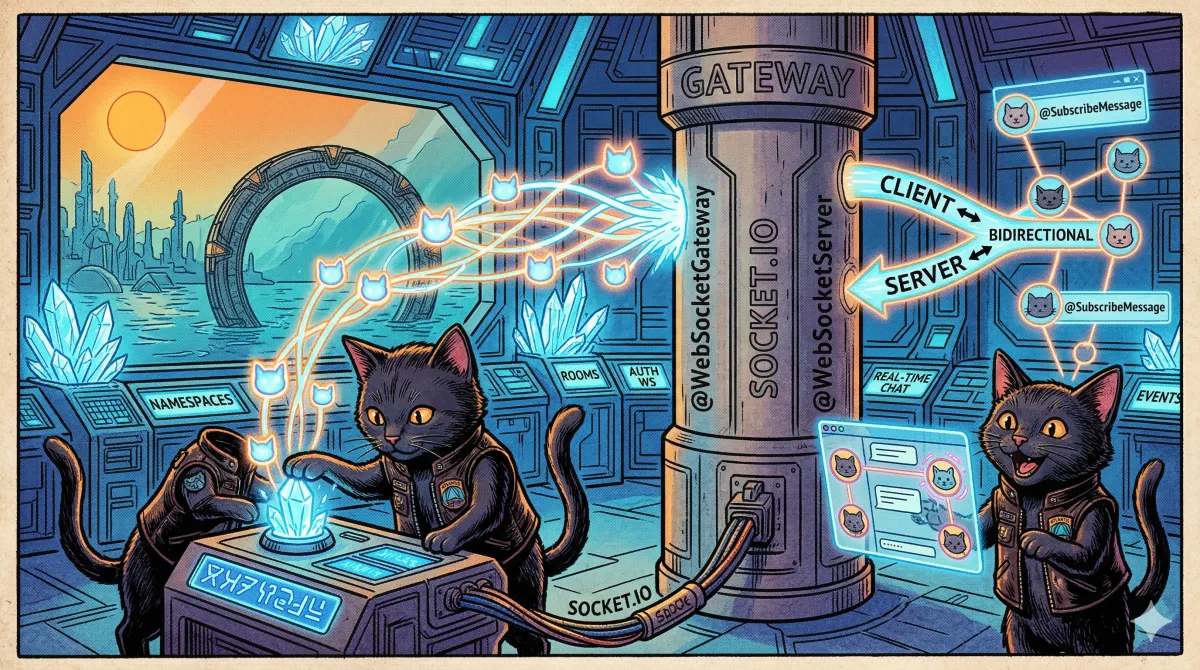
1. HTTP vs WebSockets: por qué necesitas ambos
HTTP (lo que ya tenemos):
  Cliente ──request──→ Servidor
  Cliente ←─response── Servidor
  (Conexión se cierra)

  "Dame los mensajes nuevos"  →  "Aquí tienes 3 mensajes"
  (1 segundo después)
  "¿Hay mensajes nuevos?"     →  "No"
  (1 segundo después)
  "¿Y ahora?"                 →  "No"
  (1 segundo después)
  "¿Y ahora?"                 →  "Sí, 1 mensaje"
  → Polling: ineficiente, latencia alta, carga innecesaria

WebSockets (lo que montamos hoy):
  Cliente ←──────────→ Servidor
  (Conexión permanente)

  Servidor: "Oye, te ha llegado un mensaje"  → instantáneo
  Servidor: "Otro más"                        → instantáneo
  Cliente:  "Envío una respuesta"              → instantáneo
→ Bidireccional, sin polling, latencia mínimaRequest-response. El cliente siempre inicia. Ideal para CRUD, formularios, APIs públicas, operaciones puntuales. Stateless.
Bidireccional, conexión persistente. El servidor puede iniciar. Ideal para chat, notificaciones, dashboards live, presencia, juegos. Stateful.
2. ¿Qué es Socket.IO?
NestJS soporta WebSockets nativos y 💡 Socket.IO Librería que añade una capa de abstracción sobre WebSockets. Proporciona reconexión automática, fallback a HTTP long-polling si WebSockets no están disponibles, rooms, namespaces, acknowledgements y broadcasting. Es el estándar de facto para tiempo real en Node.js. Más info → . Vamos con Socket.IO porque añade funcionalidades que los WebSockets nativos no tienen:
| Feature | WebSockets nativos | Socket.IO |
|---|---|---|
| Reconexión automática | No | Sí |
| Fallback (long-polling) | No | Sí |
| Rooms | Manual | Built-in |
| Namespaces | No | Sí |
| Acknowledgements | Manual | Built-in |
| Broadcasting | Manual | Built-in |
3. Instalación
Paquetes:
@nestjs/websockets: Decoradores y abstracciones de NestJS para WebSockets.@nestjs/platform-socket.io: Adaptador de Socket.IO (podrías cambiar awssi no necesitas Socket.IO).
4. Tu primer Gateway
El 💡 Gateway En NestJS, el equivalente de un Controller para WebSockets. Clase decorada con @WebSocketGateway que maneja conexiones, desconexiones y mensajes entrantes. Soporta DI, guards, pipes, interceptors y filters igual que los controllers HTTP. Más info → es el equivalente WebSocket de un Controller:
// src/chat/chat.gateway.ts
import {
    WebSocketGateway,
    WebSocketServer,
    SubscribeMessage,
    OnGatewayInit,
    OnGatewayConnection,
    OnGatewayDisconnect,
    MessageBody,
    ConnectedSocket,
} from '@nestjs/websockets';
import { Logger } from '@nestjs/common';
import { Server, Socket } from 'socket.io';

@WebSocketGateway({
    cors: {
        origin: '*', // En producción, pon tu dominio
    },
})
export class ChatGateway implements OnGatewayInit, OnGatewayConnection, OnGatewayDisconnect {
    private readonly logger = new Logger(ChatGateway.name);

    @WebSocketServer()
    server: Server;

    afterInit(): void {
        this.logger.log('WebSocket Gateway inicializado');
    }

    handleConnection(client: Socket): void {
        this.logger.log(`Cliente conectado: ${client.id}`);
    }

    handleDisconnect(client: Socket): void {
        this.logger.log(`Cliente desconectado: ${client.id}`);
    }

    @SubscribeMessage('message')
    handleMessage(@MessageBody() data: { text: string }, @ConnectedSocket() client: Socket): void {
        this.logger.log(`Mensaje de ${client.id}: ${data.text}`);

        // Enviar a TODOS los clientes conectados (incluyendo el emisor)
        this.server.emit('message', {
            userId: client.id,
            text: data.text,
            timestamp: new Date().toISOString(),
        });
    }
}
Desglose del código:
@WebSocketGateway(): Marca la clase como gateway. El objeto de opciones se pasa directamente a Socket.IO.@WebSocketServer(): Inyecta la instancia delServerde Socket.IO. Con ella emites eventos a clientes.OnGatewayInit:afterInit()se llama cuando el gateway está listo.OnGatewayConnection:handleConnection()se llama cuando un cliente se conecta.OnGatewayDisconnect:handleDisconnect()se llama cuando un cliente se desconecta.@SubscribeMessage('message'): Este método se ejecuta cuando el cliente envía un evento llamado'message'.@MessageBody(): Extrae el payload del mensaje (equivalente a@Body()en HTTP).@ConnectedSocket(): Inyecta la referencia al socket del cliente (equivalente a@Req()en HTTP).
5. Registrar el Gateway en un módulo
// src/chat/chat.module.ts
import { Module } from '@nestjs/common';
import { ChatGateway } from './chat.gateway';
import { ChatService } from './chat.service';

@Module({
    providers: [ChatGateway, ChatService],
})
export class ChatModule {}
El gateway se registra como provider y no como controller. NestJS detecta el decorador @WebSocketGateway y lo conecta automáticamente al server HTTP.
Puerto: por defecto, el gateway WebSocket comparte el mismo puerto que el servidor HTTP (3000). No necesitas abrir otro puerto. Socket.IO hace el upgrade del protocolo en la misma conexión.
6. Eventos tipados: contratos cliente-servidor
Vamos a tipar todos los eventos de forma que tanto el servidor como el cliente sepan exactamente qué datos enviar y recibir:
// src/chat/interfaces/chat-events.interface.ts

// Eventos que el SERVIDOR envía al cliente
export interface ServerToClientEvents {
    'chat:message': (payload: ChatMessagePayload) => void;
    'chat:user-joined': (payload: UserJoinedPayload) => void;
    'chat:user-left': (payload: UserLeftPayload) => void;
    'chat:typing': (payload: TypingPayload) => void;
    'chat:room-users': (payload: RoomUsersPayload) => void;
    'notification:new': (payload: NotificationPayload) => void;
}

// Eventos que el CLIENTE envía al servidor
export interface ClientToServerEvents {
    'chat:send-message': (payload: SendMessagePayload, ack: (response: MessageAckPayload) => void) => void;
    'chat:join-room': (payload: JoinRoomPayload, ack: (response: JoinRoomAckPayload) => void) => void;
    'chat:leave-room': (payload: LeaveRoomPayload) => void;
    'chat:typing-start': (payload: TypingStartPayload) => void;
    'chat:typing-stop': (payload: TypingStopPayload) => void;
}

// Payloads tipados
export interface ChatMessagePayload {
    readonly id: string;
    readonly userId: string;
    readonly userName: string;
    readonly roomId: string;
    readonly text: string;
    readonly sentAt: string;
}

export interface SendMessagePayload {
    readonly roomId: string;
    readonly text: string;
}

export interface MessageAckPayload {
    readonly id: string;
    readonly status: 'delivered';
    readonly sentAt: string;
}

export interface UserJoinedPayload {
    readonly userId: string;
    readonly userName: string;
    readonly roomId: string;
    readonly joinedAt: string;
}

export interface UserLeftPayload {
    readonly userId: string;
    readonly userName: string;
    readonly roomId: string;
    readonly leftAt: string;
}

export interface JoinRoomPayload {
    readonly roomId: string;
}

export interface JoinRoomAckPayload {
    readonly roomId: string;
    readonly users: ReadonlyArray<{
        readonly userId: string;
        readonly userName: string;
    }>;
    readonly recentMessages: ReadonlyArray<ChatMessagePayload>;
}

export interface LeaveRoomPayload {
    readonly roomId: string;
}

export interface TypingPayload {
    readonly userId: string;
    readonly userName: string;
    readonly roomId: string;
    readonly isTyping: boolean;
}

export interface TypingStartPayload {
    readonly roomId: string;
}

export interface TypingStopPayload {
    readonly roomId: string;
}

export interface RoomUsersPayload {
    readonly roomId: string;
    readonly users: ReadonlyArray<{
        readonly userId: string;
        readonly userName: string;
    }>;
}

export interface NotificationPayload {
    readonly id: string;
    readonly type: 'info' | 'warning' | 'error';
    readonly title: string;
    readonly message: string;
    readonly createdAt: string;
}
ServerToClientEvents y ClientToServerEvents son el contrato. Si en el frontend se usa TypeScript, se puede importar estas interfaces y tener autocompletado en el cliente, potenciando aún más el desarrollo.
Fíjate en los acknowledgements acknowledgements Callback de confirmación en Socket.IO. El emisor envía un mensaje y pasa una función callback. El receptor ejecuta esa función con datos de respuesta. Es como un request-response sobre WebSockets: envías un mensaje y recibes una confirmación. : chat:send-message tiene un segundo parámetro ack que es un callback. El servidor confirma al cliente que el mensaje se recibió.
7. Gateway tipado: el chat completo
Ahora el gateway real con tipado end-to-end:
// src/chat/chat.gateway.ts
import {
    WebSocketGateway,
    WebSocketServer,
    SubscribeMessage,
    OnGatewayConnection,
    OnGatewayDisconnect,
    MessageBody,
    ConnectedSocket,
} from '@nestjs/websockets';
import { Logger, UseGuards, UsePipes, ValidationPipe } from '@nestjs/common';
import { Server, Socket } from 'socket.io';
import { ChatService } from './chat.service';
import { WsJwtGuard } from './guards/ws-jwt.guard';
import {
    type ServerToClientEvents,
    type ClientToServerEvents,
    type SendMessagePayload,
    type JoinRoomPayload,
    type LeaveRoomPayload,
    type TypingStartPayload,
    type TypingStopPayload,
    type MessageAckPayload,
    type JoinRoomAckPayload,
} from './interfaces/chat-events.interface';

type TypedServer = Server<ClientToServerEvents, ServerToClientEvents>;
type TypedSocket = Socket<ClientToServerEvents, ServerToClientEvents>;

@WebSocketGateway({
    namespace: 'chat',
    cors: {
        origin: process.env.FRONTEND_URL ?? 'http://localhost:5173',
        credentials: true,
    },
})
@UseGuards(WsJwtGuard)
@UsePipes(new ValidationPipe({ whitelist: true, transform: true }))
export class ChatGateway implements OnGatewayConnection, OnGatewayDisconnect {
    private readonly logger = new Logger(ChatGateway.name);

    @WebSocketServer()
    server: TypedServer;

    constructor(private readonly chatService: ChatService) {}

    async handleConnection(client: TypedSocket): Promise<void> {
        const user = client.data.user;
        if (!user) {
            client.disconnect();
            return;
        }

        this.logger.log(`Usuario ${user.name} (${user.id}) conectado`);

        await this.chatService.setUserOnline(user.id, client.id);
    }

    async handleDisconnect(client: TypedSocket): Promise<void> {
        const user = client.data.user;
        if (!user) return;

        // Notificar a todos los rooms donde estaba este usuario
        const rooms = this.chatService.getUserRooms(client.id);
        for (const roomId of rooms) {
            this.server.to(roomId).emit('chat:user-left', {
                userId: user.id,
                userName: user.name,
                roomId,
                leftAt: new Date().toISOString(),
            });
        }

        await this.chatService.setUserOffline(user.id);
        this.chatService.removeFromAllRooms(client.id);

        this.logger.log(`Usuario ${user.name} (${user.id}) desconectado`);
    }

    @SubscribeMessage('chat:send-message')
    async handleMessage(
        @MessageBody() payload: SendMessagePayload,
        @ConnectedSocket() client: TypedSocket
    ): Promise<MessageAckPayload> {
        const user = client.data.user;

        const message = await this.chatService.saveMessage({
            userId: user.id,
            userName: user.name,
            roomId: payload.roomId,
            text: payload.text,
        });

        // Enviar a todos en el room EXCEPTO el emisor
        client.to(payload.roomId).emit('chat:message', {
            id: message.id,
            userId: user.id,
            userName: user.name,
            roomId: payload.roomId,
            text: payload.text,
            sentAt: message.sentAt,
        });

        // El return se convierte en el acknowledgement para el emisor
        return {
            id: message.id,
            status: 'delivered',
            sentAt: message.sentAt,
        };
    }

    @SubscribeMessage('chat:join-room')
    async handleJoinRoom(
        @MessageBody() payload: JoinRoomPayload,
        @ConnectedSocket() client: TypedSocket
    ): Promise<JoinRoomAckPayload> {
        const user = client.data.user;

        // El cliente se une al room de Socket.IO
        await client.join(payload.roomId);
        this.chatService.addToRoom(client.id, payload.roomId);

        // Notificar a los demás del room
        client.to(payload.roomId).emit('chat:user-joined', {
            userId: user.id,
            userName: user.name,
            roomId: payload.roomId,
            joinedAt: new Date().toISOString(),
        });

        this.logger.log(`${user.name} se unió al room ${payload.roomId}`);

        // Devolver los usuarios actuales y mensajes recientes
        const users = await this.chatService.getRoomUsers(payload.roomId);
        const recentMessages = await this.chatService.getRecentMessages(payload.roomId, 50);

        return {
            roomId: payload.roomId,
            users,
            recentMessages,
        };
    }

    @SubscribeMessage('chat:leave-room')
    async handleLeaveRoom(
        @MessageBody() payload: LeaveRoomPayload,
        @ConnectedSocket() client: TypedSocket
    ): Promise<void> {
        const user = client.data.user;

        await client.leave(payload.roomId);
        this.chatService.removeFromRoom(client.id, payload.roomId);

        client.to(payload.roomId).emit('chat:user-left', {
            userId: user.id,
            userName: user.name,
            roomId: payload.roomId,
            leftAt: new Date().toISOString(),
        });

        this.logger.log(`${user.name} salió del room ${payload.roomId}`);
    }

    @SubscribeMessage('chat:typing-start')
    handleTypingStart(@MessageBody() payload: TypingStartPayload, @ConnectedSocket() client: TypedSocket): void {
        const user = client.data.user;

        client.to(payload.roomId).emit('chat:typing', {
            userId: user.id,
            userName: user.name,
            roomId: payload.roomId,
            isTyping: true,
        });
    }

    @SubscribeMessage('chat:typing-stop')
    handleTypingStop(@MessageBody() payload: TypingStopPayload, @ConnectedSocket() client: TypedSocket): void {
        const user = client.data.user;

        client.to(payload.roomId).emit('chat:typing', {
            userId: user.id,
            userName: user.name,
            roomId: payload.roomId,
            isTyping: false,
        });
    }
}
Puntos a destacar:
TypedServeryTypedSocket:Server<ClientToServerEvents, ServerToClientEvents>ySocket<...>. Ahorathis.server.emit()yclient.to().emit()están tipados. Si escribes mal el nombre de un evento o el payload, TypeScript te grita.namespace: 'chat': Los clientes se conectan ahttp://localhost:3000/chat. Separa el tráfico de chat de otros WebSockets (ej: notificaciones, presencia).client.to(roomId).emit(): Envía solo a los miembros de ese room, excluyendo al emisor.returnen@SubscribeMessage: El valor devuelto se envía como acknowledgement al cliente que envió el mensaje. No necesitas unemit()extra.client.data.user: El guard de autenticación pone el usuario aquí (lo vemos a continuación).
8. Autenticación en WebSockets: WsJwtGuard
Los WebSockets no envían headers HTTP en cada mensaje. El token JWT se envía al conectar, no con cada mensaje:
// src/chat/guards/ws-jwt.guard.ts
import { CanActivate, Injectable, Logger } from '@nestjs/common';
import { type ExecutionContext } from '@nestjs/common';
import { JwtService } from '@nestjs/jwt';
import { WsException } from '@nestjs/websockets';
import { type Socket } from 'socket.io';
import { UsersService } from '../../users/users.service';

interface JwtPayload {
    readonly sub: string;
    readonly email: string;
}

@Injectable()
export class WsJwtGuard implements CanActivate {
    private readonly logger = new Logger(WsJwtGuard.name);

    constructor(
        private readonly jwtService: JwtService,
        private readonly usersService: UsersService
    ) {}

    async canActivate(context: ExecutionContext): Promise<boolean> {
        const client: Socket = context.switchToWs().getClient();

        const token = this.extractTokenFromHandshake(client);
        if (!token) {
            throw new WsException('Token no proporcionado');
        }

        try {
            const payload = this.jwtService.verify<JwtPayload>(token);
            const user = await this.usersService.findOne(payload.sub);

            // Guardar el usuario en client.data para que el gateway lo use
            client.data.user = {
                id: user.id,
                email: user.email,
                name: user.name,
                roles: user.roles,
            };

            return true;
        } catch {
            this.logger.warn(`Token inválido de socket ${client.id}`);
            throw new WsException('Token inválido o expirado');
        }
    }

    private extractTokenFromHandshake(client: Socket): string | null {
        // Opción 1: Token en el auth del handshake
        const authToken = client.handshake.auth?.token as string | undefined;
        if (authToken) return authToken;

        // Opción 2: Token en el header Authorization
        const authHeader = client.handshake.headers.authorization;
        if (authHeader?.startsWith('Bearer ')) {
            return authHeader.slice(7);
        }

        return null;
    }
}
Diferencias clave con el guard HTTP del post 10:
context.switchToWs()en vez decontext.switchToHttp(): El ExecutionContext cambia según el protocolo.WsExceptionen vez deUnauthorizedException: Los errores WebSocket se manejan diferente.client.handshake: Los datos se envían una sola vez al conectar (el handshake), no en cada mensaje.client.data.user: Guardamos el usuario autenticado en el socket. Estará disponible durante toda la conexión.
9. Cómo se conecta el cliente
// Frontend : ejemplo con socket.io-client
import { io, type Socket } from 'socket.io-client';
import { type ServerToClientEvents, type ClientToServerEvents } from './interfaces/chat-events.interface';

type TypedClientSocket = Socket<ServerToClientEvents, ClientToServerEvents>;

const socket: TypedClientSocket = io('http://localhost:3000/chat', {
    auth: {
        token: localStorage.getItem('accessToken'),
    },
    // Reconexión automática de Socket.IO
    reconnection: true,
    reconnectionAttempts: 5,
    reconnectionDelay: 2000,
});

// Conectar
socket.on('connect', () => {
    console.log('Conectado al chat');
});

// Unirse a un room
socket.emit('chat:join-room', { roomId: 'general' }, (response) => {
    // response está tipado como JoinRoomAckPayload
    console.log(`${response.users.length} usuarios en el room`);
    console.log(`${response.recentMessages.length} mensajes recientes`);
});

// Enviar un mensaje con acknowledgement
socket.emit('chat:send-message', { roomId: 'general', text: 'Hola a todos!' }, (ack) => {
    // ack está tipado como MessageAckPayload
    console.log(`Mensaje ${ack.id} entregado a las ${ack.sentAt}`);
});

// Escuchar mensajes entrantes
socket.on('chat:message', (message) => {
    // message está tipado como ChatMessagePayload
    console.log(`${message.userName}: ${message.text}`);
});

// Escuchar indicador de typing
socket.on('chat:typing', (data) => {
    // data está tipado como TypingPayload
    if (data.isTyping) {
        console.log(`${data.userName} está escribiendo...`);
    }
});
El frontend importa las mismas interfaces que el backend. Si cambias un payload en el servidor, TypeScript se queja en el cliente.
10. Rooms: salas de chat
Los 💡 Rooms Canales dentro de un namespace de Socket.IO. Los clientes pueden unirse y salir de rooms. Un emit a un room llega solo a los miembros de ese room. Cada cliente puede estar en múltiples rooms a la vez. Los rooms son server-side: el cliente no puede unirse directamente, el servidor decide. Más info → son la pieza central del chat:
Server de Socket.IO
├── Namespace /chat
│   ├── Room "general"
│   │   ├── Socket abc123 (Paco)
│   │   ├── Socket def456 (Francisca)
│   │   └── Socket ghi789 (Pedro)
│   ├── Room "devs"
│   │   ├── Socket abc123 (Paco)     ← Puede estar en varios rooms
│   │   └── Socket jkl012 (Ana)
│   └── Room "admins"
│       └── Socket def456 (Francisca)
Los patrones de emisión:
// A TODOS los conectados en el namespace
this.server.emit('chat:message', payload);

// A todos en un room EXCEPTO el emisor
client.to('general').emit('chat:message', payload);

// A todos en un room INCLUYENDO el emisor
this.server.to('general').emit('chat:message', payload);

// A un socket específico (mensaje privado)
this.server.to(socketId).emit('chat:message', payload);

// A todos en un room EXCEPTO algunos
client.to('general').except('admins').emit('chat:message', payload);

// A múltiples rooms a la vez
this.server.to('general').to('devs').emit('chat:message', payload);
client.to()vsthis.server.to():client.to()envía a todos excepto el emisor.this.server.to()envía a todos, incluyendo el emisor. Elige según el caso.
11. Namespaces: separar tráfico
Los namespaces namespaces Puntos de conexión separados dentro del mismo servidor Socket.IO. Cada namespace tiene sus propios eventos, rooms y middleware. Los clientes se conectan a un namespace específico. Ideal para separar funcionalidades: /chat, /notifications, /dashboard. permiten tener múltiples gateways independientes en el mismo server:
// src/chat/chat.gateway.ts
@WebSocketGateway({ namespace: 'chat' })
export class ChatGateway {
    /* ... */
}

// src/notifications/notifications.gateway.ts
@WebSocketGateway({ namespace: 'notifications' })
export class NotificationsGateway {
    /* ... */
}

// src/dashboard/dashboard.gateway.ts
@WebSocketGateway({ namespace: 'dashboard' })
export class DashboardGateway {
    /* ... */
}
Cada namespace es completamente independiente, un cliente puede conectarse a varios:
// Frontend
const chatSocket = io('http://localhost:3000/chat', { auth: { token } });
const notifSocket = io('http://localhost:3000/notifications', { auth: { token } });
12. Emitir desde cualquier servicio
No solo el gateway puede emitir, si no que cualquier servicio puede enviar eventos WebSocket si tiene acceso al server:
// src/notifications/notifications.gateway.ts
import { WebSocketGateway, WebSocketServer, OnGatewayConnection, OnGatewayDisconnect } from '@nestjs/websockets';
import { Logger } from '@nestjs/common';
import { Server, Socket } from 'socket.io';
import { type ServerToClientEvents } from '../chat/interfaces/chat-events.interface';
import { type NotificationPayload } from '../chat/interfaces/chat-events.interface';

@WebSocketGateway({ namespace: 'notifications' })
export class NotificationsGateway implements OnGatewayConnection, OnGatewayDisconnect {
    private readonly logger = new Logger(NotificationsGateway.name);
    private readonly userSocketMap = new Map<string, Set<string>>();

    @WebSocketServer()
    server: Server<Record<string, never>, ServerToClientEvents>;

    handleConnection(client: Socket): void {
        const userId = client.data.user?.id;
        if (!userId) return;

        if (!this.userSocketMap.has(userId)) {
            this.userSocketMap.set(userId, new Set());
        }
        this.userSocketMap.get(userId)!.add(client.id);
    }

    handleDisconnect(client: Socket): void {
        const userId = client.data.user?.id;
        if (!userId) return;

        this.userSocketMap.get(userId)?.delete(client.id);
        if (this.userSocketMap.get(userId)?.size === 0) {
            this.userSocketMap.delete(userId);
        }
    }

    // Método público que otros servicios pueden llamar
    sendToUser(userId: string, notification: NotificationPayload): void {
        const socketIds = this.userSocketMap.get(userId);
        if (!socketIds) return;

        for (const socketId of socketIds) {
            this.server.to(socketId).emit('notification:new', notification);
        }
    }

    // Enviar a todos los conectados
    broadcast(notification: NotificationPayload): void {
        this.server.emit('notification:new', notification);
    }
}
Ahora otros servicios pueden inyectar NotificationsGateway y enviar notificaciones:
// src/orders/orders.service.ts
import { Injectable } from '@nestjs/common';
import { NotificationsGateway } from '../notifications/notifications.gateway';

@Injectable()
export class OrdersService {
    constructor(private readonly notificationsGateway: NotificationsGateway) {}

    async completeOrder(orderId: string, userId: string): Promise<void> {
        // ... lógica de completar el pedido

        // Notificar al usuario en tiempo real
        this.notificationsGateway.sendToUser(userId, {
            id: crypto.randomUUID(),
            type: 'info',
            title: 'Pedido completado',
            message: `Tu pedido #${orderId} ha sido procesado`,
            createdAt: new Date().toISOString(),
        });
    }
}
El userSocketMap mapea userId → Set<socketId>. Un usuario puede tener múltiples sockets (varias pestañas abiertas, móvil + desktop). Usamos un Set para soportar ese caso.
13. Conectando con eventos y colas
La combinación de los tres posts del bloque con un evento interno que dispara una cola, y cuando el job se completa, se notifica al usuario vía WebSocket:
// src/images/processors/image.processor.ts
import { Processor, Process, OnQueueCompleted } from '@nestjs/bull';
import { type Job } from 'bull';
import { NotificationsGateway } from '../../notifications/notifications.gateway';
import { IMAGE_QUEUE, ImageJobNames } from '../constants';
import { type ResizeImageJobData } from '../interfaces/image-job-data.interface';

@Processor(IMAGE_QUEUE)
export class ImageProcessor {
    constructor(private readonly notificationsGateway: NotificationsGateway) {}

    @Process(ImageJobNames.RESIZE)
    async handleResize(job: Job<ResizeImageJobData>): Promise<void> {
        // ... procesamiento de imagen
    }

    @OnQueueCompleted()
    onCompleted(job: Job<ResizeImageJobData>): void {
        // Cuando el job termina, notificar al usuario vía WebSocket
        this.notificationsGateway.sendToUser(job.data.userId, {
            id: crypto.randomUUID(),
            type: 'info',
            title: 'Imagen procesada',
            message: 'Tu imagen se ha redimensionado correctamente',
            createdAt: new Date().toISOString(),
        });
    }
}
El flujo completo del bloque 5:
1. Usuario sube una imagen                              (HTTP POST)
2. Controller emite evento 'image.uploaded'              (Post 17: Eventos)
3. Listener del evento encola un job de resize           (Post 18: Colas)
4. Worker procesa el resize en background                (Post 18: Colas)
5. Al completar, notifica al usuario vía WebSocket       (Post 19: WebSockets)
6. El usuario ve "Imagen procesada" en tiempo real       (Sin polling)
Tres capas trabajando juntas con eventos para desacoplar, colas para resiliencia, WebSockets para feedback instantáneo.
14. Exception filters para WebSockets
Los errores en WebSockets se manejan diferente a HTTP, aquí no hay status codes:
// src/chat/filters/ws-exception.filter.ts
import { Catch, type ArgumentsHost } from '@nestjs/common';
import { BaseWsExceptionFilter, WsException } from '@nestjs/websockets';
import { type Socket } from 'socket.io';

interface WsErrorResponse {
    readonly event: string;
    readonly message: string;
    readonly timestamp: string;
}

@Catch(WsException)
export class WsExceptionFilter extends BaseWsExceptionFilter {
    catch(exception: WsException, host: ArgumentsHost): void {
        const client: Socket = host.switchToWs().getClient();
        const error = exception.getError();
        const message = typeof error === 'string' ? error : (error as { message: string }).message;

        const response: WsErrorResponse = {
            event: 'error',
            message,
            timestamp: new Date().toISOString(),
        };

        client.emit('exception', response);
    }
}
// Aplicar a nivel de gateway
@WebSocketGateway({ namespace: 'chat' })
@UseFilters(new WsExceptionFilter())
export class ChatGateway {
/* ... */
}15. El ChatService: lógica de negocio
La lógica de negocio va en el service, no en el gateway. El gateway orquesta y el service ejecuta:
// src/chat/chat.service.ts
import { Injectable, Logger } from '@nestjs/common';
import { InjectRepository } from '@nestjs/typeorm';
import { Repository } from 'typeorm';
import { Message } from './entities/message.entity';
import { type ChatMessagePayload } from './interfaces/chat-events.interface';

interface SaveMessageParams {
    readonly userId: string;
    readonly userName: string;
    readonly roomId: string;
    readonly text: string;
}

interface SavedMessage {
    readonly id: string;
    readonly sentAt: string;
}

@Injectable()
export class ChatService {
    private readonly logger = new Logger(ChatService.name);

    // userId → socketId (para un solo socket por user simplificado)
    private readonly onlineUsers = new Map<string, string>();

    // socketId → Set<roomId>
    private readonly socketRooms = new Map<string, Set<string>>();

    constructor(
        @InjectRepository(Message)
        private readonly messageRepository: Repository<Message>
    ) {}

    async saveMessage(params: SaveMessageParams): Promise<SavedMessage> {
        const message = this.messageRepository.create({
            userId: params.userId,
            userName: params.userName,
            roomId: params.roomId,
            text: params.text,
        });

        const saved = await this.messageRepository.save(message);

        return {
            id: saved.id,
            sentAt: saved.createdAt.toISOString(),
        };
    }

    async getRecentMessages(roomId: string, limit: number): Promise<ReadonlyArray<ChatMessagePayload>> {
        const messages = await this.messageRepository.find({
            where: { roomId },
            order: { createdAt: 'DESC' },
            take: limit,
        });

        return messages.reverse().map((msg) => ({
            id: msg.id,
            userId: msg.userId,
            userName: msg.userName,
            roomId: msg.roomId,
            text: msg.text,
            sentAt: msg.createdAt.toISOString(),
        }));
    }

    async getRoomUsers(roomId: string): Promise<ReadonlyArray<{ userId: string; userName: string }>> {
        // En producción, consultar la BD para los usuarios del room
        // Aquí simplificamos con los usuarios online
        const users: Array<{ userId: string; userName: string }> = [];
        // ... lógica de obtener usuarios del room
        return users;
    }

    async setUserOnline(userId: string, socketId: string): Promise<void> {
        this.onlineUsers.set(userId, socketId);
    }

    async setUserOffline(userId: string): Promise<void> {
        this.onlineUsers.delete(userId);
    }

    addToRoom(socketId: string, roomId: string): void {
        if (!this.socketRooms.has(socketId)) {
            this.socketRooms.set(socketId, new Set());
        }
        this.socketRooms.get(socketId)!.add(roomId);
    }

    removeFromRoom(socketId: string, roomId: string): void {
        this.socketRooms.get(socketId)?.delete(roomId);
    }

    removeFromAllRooms(socketId: string): void {
        this.socketRooms.delete(socketId);
    }

    getUserRooms(socketId: string): ReadonlyArray<string> {
        const rooms = this.socketRooms.get(socketId);
        return rooms ? [...rooms] : [];
    }

    isUserOnline(userId: string): boolean {
        return this.onlineUsers.has(userId);
    }
}
El gateway llama a chatService.saveMessage(), chatService.getRoomUsers(), etc. El gateway se ocupa de la comunicación WebSocket y el service se ocupa de la lógica y la BD.
16. Validación de mensajes con DTOs
Los datos que llegan por WebSocket también se validan. Usamos los mismos DTOs del post 6:
// src/chat/dto/send-message.dto.ts
import { IsNotEmpty, IsString, MaxLength, MinLength } from 'class-validator';

export class SendMessageDto {
    @IsString()
    @IsNotEmpty()
    @MinLength(1)
    @MaxLength(2000)
    readonly text: string;

    @IsString()
    @IsNotEmpty()
    readonly roomId: string;
}
// En el gateway, usar el DTO con ValidationPipe
@SubscribeMessage('chat:send-message')
async handleMessage(
@MessageBody() payload: SendMessageDto, // ← DTO validado
@ConnectedSocket() client: TypedSocket,
): Promise<MessageAckPayload> {
// Si el payload no pasa la validación, se lanza WsException
// ...
}El @UsePipes(new ValidationPipe()) a nivel de gateway aplica validación a todos los @SubscribeMessage usando la misma filosofía que en HTTP.
17. Escalando con Redis adapter
Si tienes múltiples instancias de tu app (load balancing), cada instancia tiene su propia lista de sockets. Si Paco está conectado a la instancia 1 y Francisca a la instancia 2, Paco no puede enviar mensajes a Francisca, con esto tendríamos un problema.
Solución: el 💡 Redis adapter Adaptador de Socket.IO que usa Redis pub/sub para sincronizar eventos entre múltiples instancias del servidor. Cuando una instancia emite un evento, Redis lo propaga a todas las demás. Los clientes conectados a cualquier instancia reciben el mensaje. Más info → :
// src/main.ts
import { NestFactory } from '@nestjs/core';
import { IoAdapter } from '@nestjs/platform-socket.io';
import { createAdapter } from '@socket.io/redis-adapter';
import { createClient } from 'redis';
import { AppModule } from './app.module';

async function bootstrap(): Promise<void> {
    const app = await NestFactory.create(AppModule);

    // Configurar Redis adapter para Socket.IO
    const pubClient = createClient({
        url: `redis://${process.env.REDIS_HOST}:${process.env.REDIS_PORT}`,
    });
    const subClient = pubClient.duplicate();
    await Promise.all([pubClient.connect(), subClient.connect()]);

    const redisIoAdapter = new IoAdapter(app);
    // @ts-expect-error -- createAdapter espera tipos de redis v4
    redisIoAdapter.createIOServer = (port: number, options?: Record<string, unknown>) => {
        const server = IoAdapter.prototype.createIOServer.call(redisIoAdapter, port, options);
        server.adapter(createAdapter(pubClient, subClient));
        return server;
    };

    app.useWebSocketAdapter(redisIoAdapter);

    await app.listen(3000);
}

bootstrap();
Ahora cada emit() se propaga vía Redis pub/sub a todas las instancias y los clientes conectados a cualquier instancia reciben el mensaje.
Instancia 1 (Paco) ──emit()──→ Redis Pub/Sub ──→ Instancia 2 (Francisca)
                                    ↓
                              Instancia 3 (Pedro)
El mismo Redis que usamos para Bull en el post 18. Un solo Redis para colas y WebSockets.
18. Estructura de archivos
src/
├── chat/
│   ├── chat.module.ts
│   ├── chat.gateway.ts              ← Gateway con @SubscribeMessage
│   ├── chat.service.ts              ← Lógica de negocio
│   ├── dto/
│   │   └── send-message.dto.ts      ← Validación de payloads
│   ├── entities/
│   │   └── message.entity.ts        ← Entidad TypeORM para persistencia
│   ├── guards/
│   │   └── ws-jwt.guard.ts          ← Autenticación JWT en WebSockets
│   ├── filters/
│   │   └── ws-exception.filter.ts   ← Manejo de errores WS
│   └── interfaces/
│       └── chat-events.interface.ts ← Contrato tipado de eventos
├── notifications/
│   ├── notifications.module.ts
│   └── notifications.gateway.ts     ← Gateway de notificaciones
Cada gateway con su módulo, sus interfaces tipadas, su guard y su exception filter. Misma estructura modular que los controllers HTTP.
19. Errores comunes
Error 1: No usar WsException
// ❌ HttpException no funciona en WebSockets
import { UnauthorizedException } from '@nestjs/common';
throw new UnauthorizedException('No autorizado');
// El cliente no recibe el error correctamente

// ✅ Usar WsException para errores en gateways
import { WsException } from '@nestjs/websockets';
throw new WsException('No autorizado');
Error 2: Olvidar el namespace en el cliente
// ❌ El gateway tiene namespace: 'chat' pero el cliente se conecta a /
const socket = io('http://localhost:3000');
// Nunca se conecta al ChatGateway

// ✅ El cliente debe conectarse al namespace correcto
const socket = io('http://localhost:3000/chat');
Error 3: Confundir client.to() con server.to()
// client.to(room) → envía a todos EN el room EXCEPTO el emisor
client.to('general').emit('chat:message', payload);
// El emisor NO recibe su propio mensaje

// server.to(room) → envía a TODOS en el room INCLUYENDO el emisor
this.server.to('general').emit('chat:message', payload);
// El emisor TAMBIÉN recibe su propio mensaje
Error 4: No manejar la desconexión
// ❌ Si el usuario cierra la pestaña, los demás no se enteran
handleDisconnect(client: Socket): void {
    // nada
}

// ✅ Limpiar estado y notificar
handleDisconnect(client: Socket): void {
    const user = client.data.user;
    if (!user) return;

    // Notificar a los rooms donde estaba
    const rooms = this.chatService.getUserRooms(client.id);
    for (const roomId of rooms) {
        this.server.to(roomId).emit('chat:user-left', {
            userId: user.id,
            userName: user.name,
            roomId,
            leftAt: new Date().toISOString(),
        });
    }

    // Limpiar estado
    this.chatService.removeFromAllRooms(client.id);
    this.chatService.setUserOffline(user.id);
}
Error 5: Datos no serializables en los payloads
// ❌ Igual que con Bull (post 18): los datos se envían como JSON
this.server.emit('chat:message', {
    user: userEntity, // Entidad con relaciones circulares
    sentAt: new Date(), // Se convierte en string al serializar
});

// ✅ Solo datos primitivos y objetos planos
this.server.emit('chat:message', {
    userId: user.id,
    userName: user.name,
    sentAt: new Date().toISOString(),
});
20. Recapitulando
Equivalente a @Controller para WebSockets. Maneja conexiones, desconexiones y mensajes. Soporta guards, pipes, interceptors y filters.
Marca un método como handler de un evento WebSocket. @MessageBody extrae el payload. @ConnectedSocket da acceso al cliente.
ServerToClientEvents y ClientToServerEvents definen el contrato. Server
Rooms agrupan clientes por sala. Namespaces separan funcionalidades (/chat, /notifications). client.to() vs server.to().
Token JWT en el handshake. WsJwtGuard valida una vez al conectar. client.data.user disponible en toda la conexión.
Sincroniza eventos entre múltiples instancias vía Redis pub/sub. Mismo Redis que Bull. Escalado horizontal sin perder mensajes.
Y con esto cerramos el Bloque 5: Eventos, Colas y Tiempo Real. Tres posts, tres capas que trabajan juntas:
- Eventos (post 17) : Desacoplan módulos internos. Fire-and-forget.
- Colas (post 18) : Persisten tareas pesadas con reintentos. Redis como broker.
- WebSockets (post 19) : Comunican en tiempo real con los clientes. Bidireccional.
En el próximo post entramos en el Bloque 6: Testing con tests unitarios con Jest: @nestjs/testing, Test.createTestingModule, mocking de servicios y repositorios, y cómo testear todo lo que hemos construido.
EA, nos vemos en los bares!! 🍺
Pon a prueba lo aprendido
1. ¿Cuál es la diferencia principal entre HTTP y WebSockets?
2. ¿Dónde se envía el token JWT en una conexión WebSocket con Socket.IO?
3. ¿Cuál es la diferencia entre client.to(room).emit() y server.to(room).emit()?
4. ¿Para qué sirve el Redis adapter en Socket.IO?
5. ¿Qué ventaja tiene definir interfaces ServerToClientEvents y ClientToServerEvents?